
A modern alternative to FileBot
Tidy media,
automatically.
Curator renames cryptic downloads into clean, correctly-named files — then files them into a collection worth browsing. Native and fast on macOS, Windows and Linux. No browser in disguise, no Java.
14-day free trial · no card required
Smart matching
Messy filenames in. Correct names out.
Drop in a folder of cryptically-named downloads and Curator works out what each one is — the right show, the right film, the real episode title — using TheTVDB, TheMovieDB and Trakt. It shows you a confidence score for every match, and when it's not sure, you pick from a list of posters rather than guessing.
- Real episode titles, not just S01E02
- A poster picker when a match is uncertain
- Match a whole season in one go

Your collection
A library worth browsing.
Everything you file lands in a poster wall that actually feels like a collection — sorted, searchable, with quality and codec badges read from the real files and community ratings on every tile. It's the part of organising your media that's usually a spreadsheet, made into something you'll open for fun.
- 4K / HD / codec badges from the actual file
- ★ ratings on every title
- Bring your own artwork any time
A note while we're getting started: TV artwork is live today, but full studio movie posters switch on a little after launch. Until then films are still matched and named correctly — they just show a placeholder you can swap for your own poster.

Completion tracking
See exactly what you're missing.
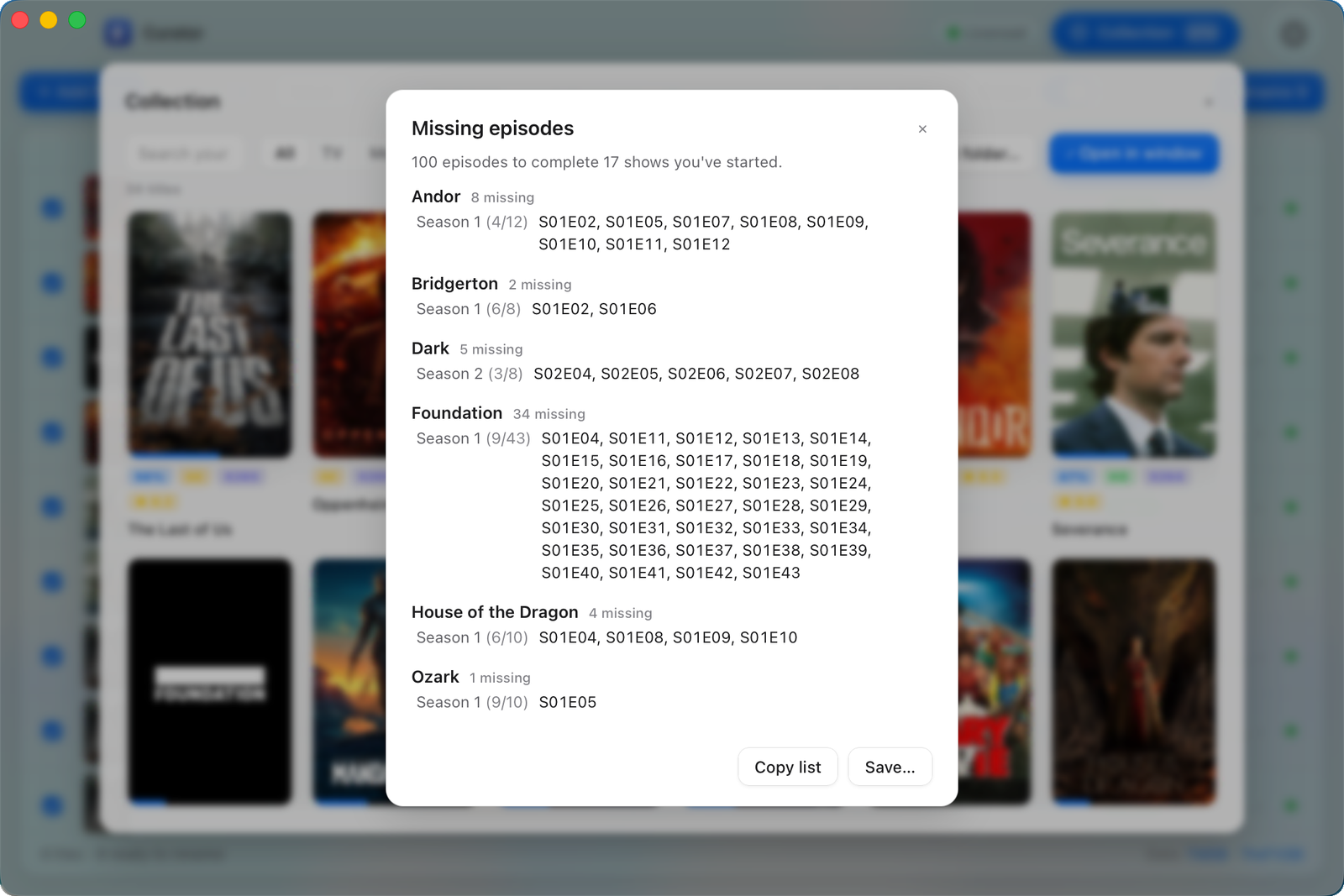
Curator knows how many episodes a season should have, so it can tell you what you've got and what you haven't — per show, per season, down to the individual episode. The missing-episodes report turns that into a simple shopping list for finishing a collection.
- % owned for every show and season
- A grid of the gaps you're missing
- Export a 'what to get next' list

Presentation mode
Put it on the big screen.
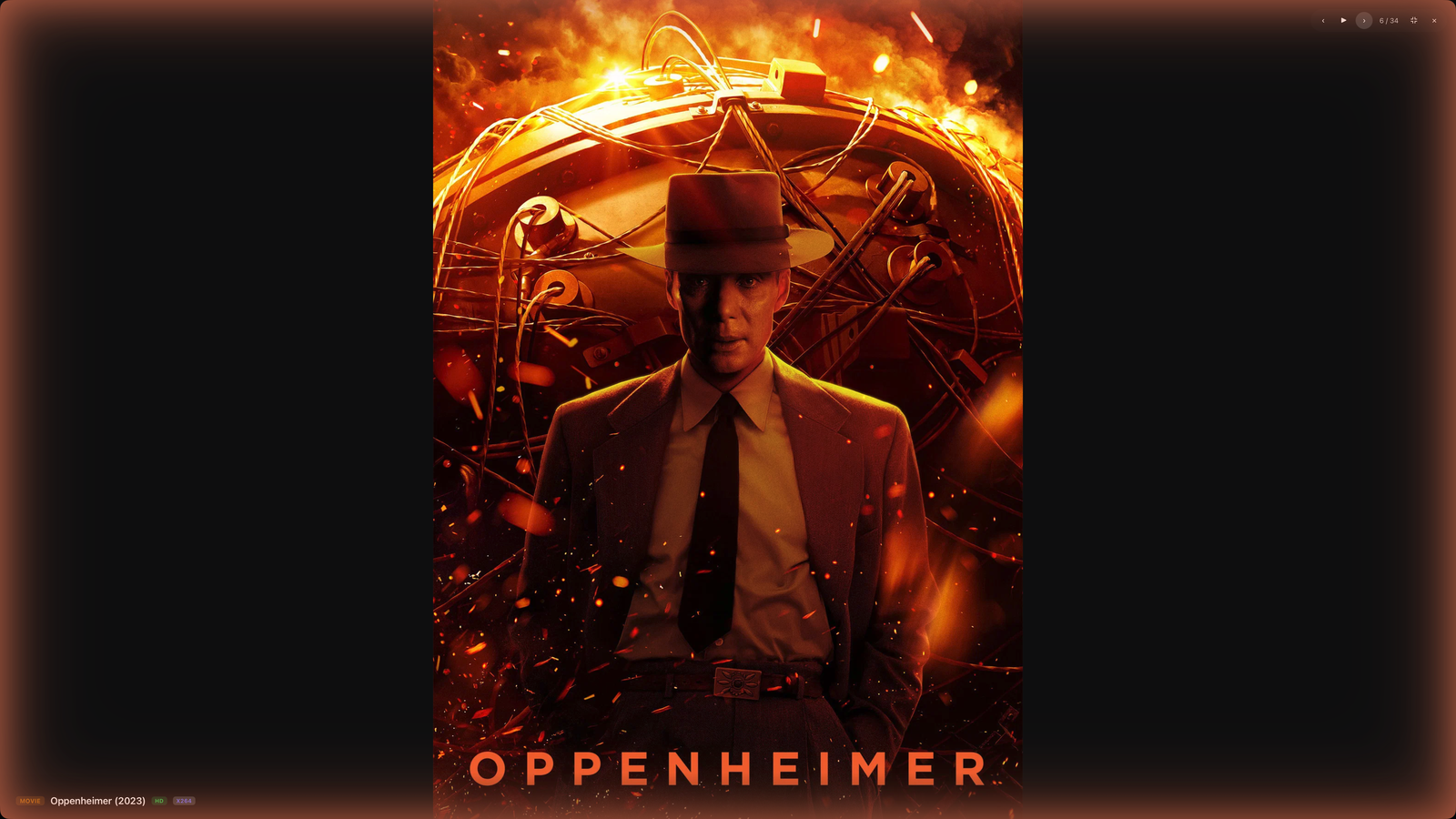
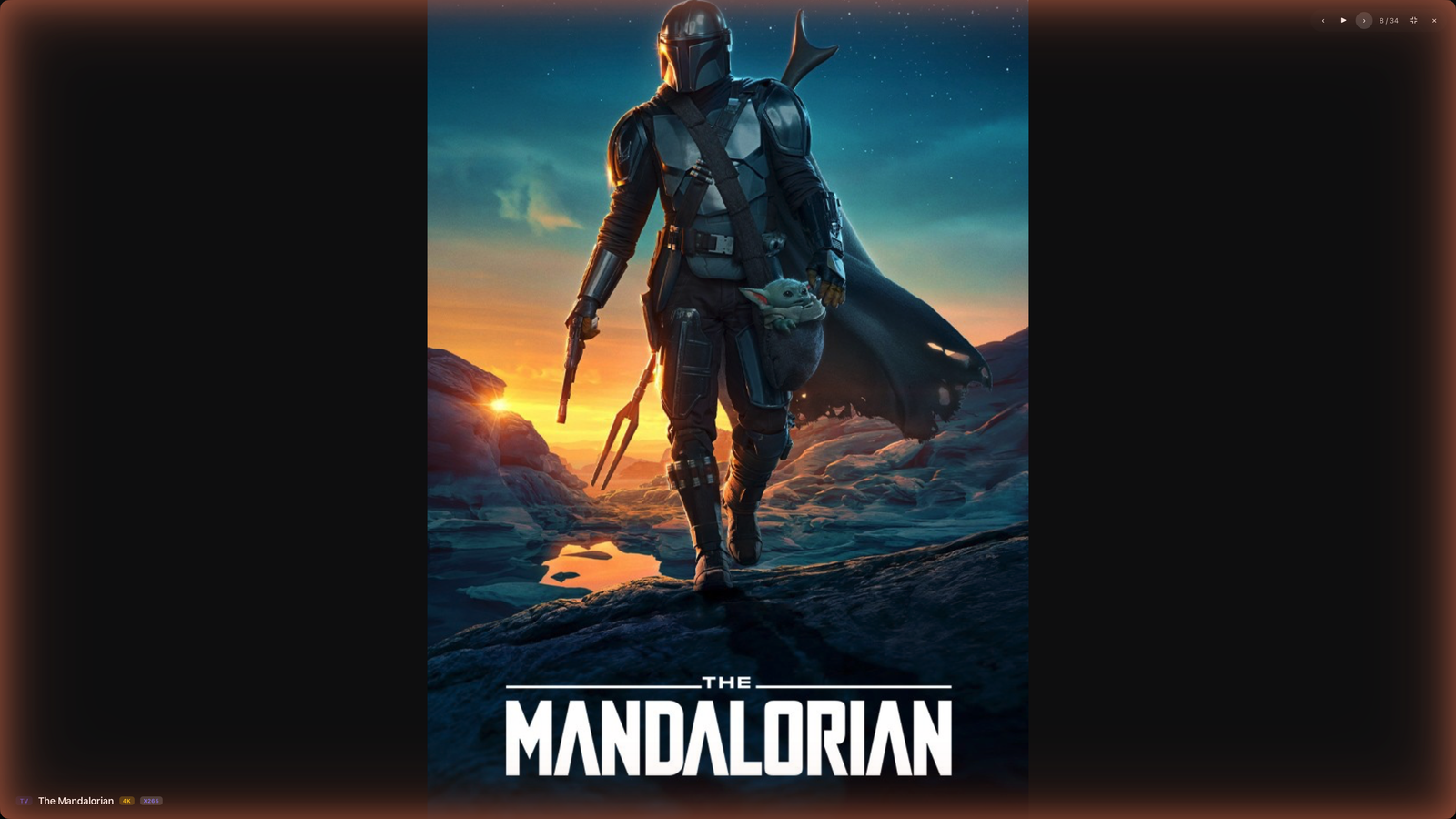
A full-screen, slowly-crossfading wall of your own posters. Lovely on a TV or a spare monitor, and a quiet reminder of just how much you've built.
- Full-screen poster slideshow
- Runs on a second display
- Your library, as a screensaver



Your rules
Organised exactly how you want.
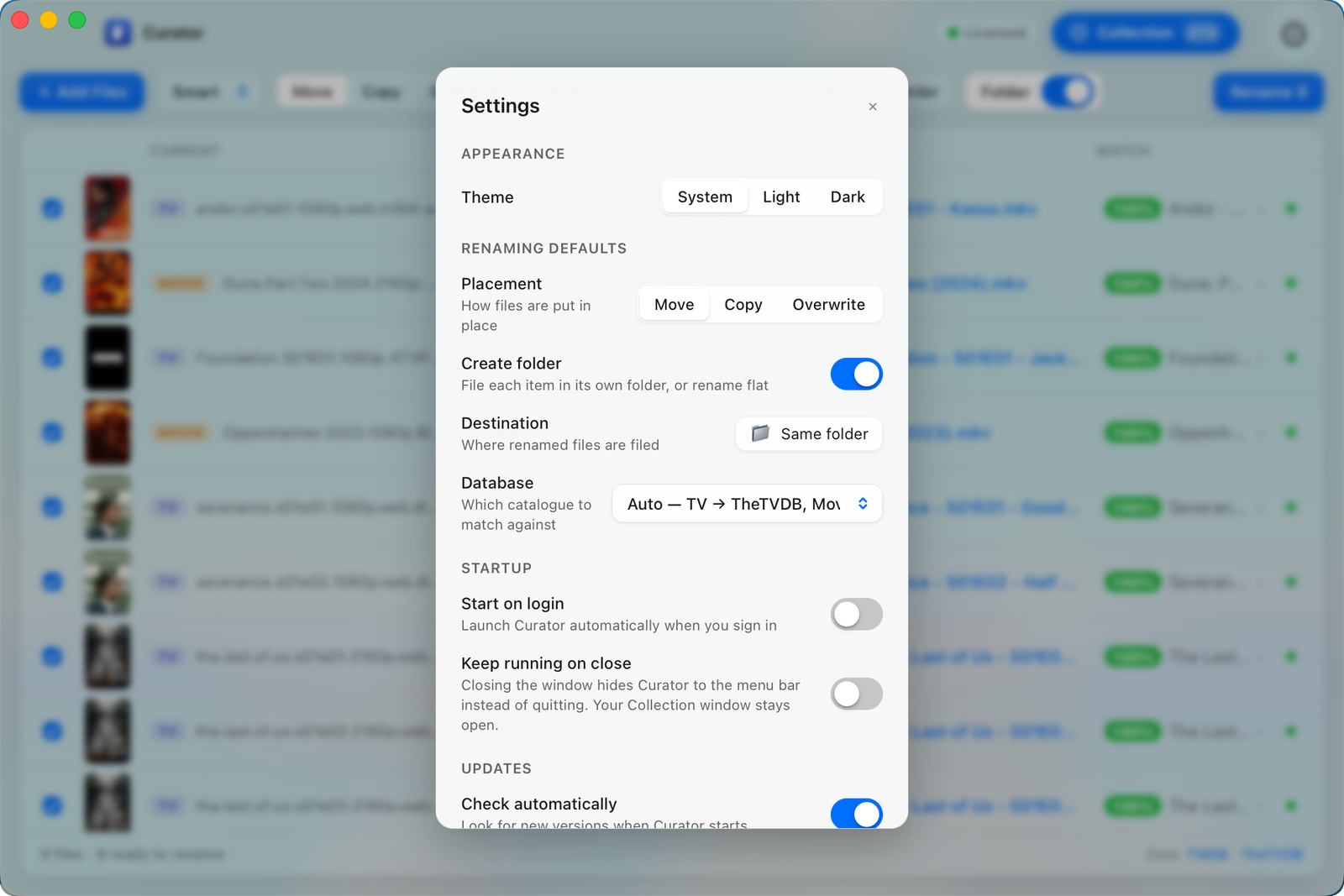
Choose whether each item gets its own tidy folder or is renamed in place — and watch the new name update live as you toggle. Move, copy or overwrite. Use the Smart preset that tells TV from film automatically, or pin your own. Nothing is ever overwritten by accident, and every rename is a single click to undo.
- Folder structure on or off — preview updates live
- Move · Copy · Overwrite
- One-click undo, never clobbers a file
Genuinely native
Built with Rust, not a packaged web browser. A real installed app of around 12 MB that opens instantly.
Private by default
Your library lives on your machine. No accounts to browse it, and you can export everything to move computers whenever you like.
Safe renames
Curator never overwrites a file by accident, checks the destination first, and every batch is one click to undo.
macOS · Windows · Linux
One app, every desktop. Light and dark, and it looks at home on each.
Pricing
Pick how you pay. Same Curator.
Start with a 14-day free trial — no card required.
Yearly
- Unlimited renaming and organising
- Live matching via TheTVDB, TheMovieDB & Trakt
- The full collection, completion tracking & presentation mode
- Use it on 2 of your computers
- Every update while you're subscribed
Then $9.99/year. Cancel any time.
Lifetime Best value
- Everything in Yearly
- Pay once — no renewals
- Free updates for the current major version
- Use it on 2 of your computers
One payment of $80. Covers all of the current major version.
Get Curator
Free for 14 days. Pick your platform.
Apple Silicon · Windows 10/11 · AppImage